If your package is already at one of our drop-off locations and it has not yet departed to its destination, you can submit a cancellation request. However, please note the following:
- Cancellation Evaluation: Our team will need to evaluate the state of your package and the feasibility of canceling it at this stage.
- Cancellation & Admin Fees: Late cancellations may incur administrative fees and cancellation charges. These fees cover the costs associated with processing your cancellation request and any logistical adjustments required.
- Cancellation Not Guaranteed: Please be aware that cancellation requests are not always granted, particularly if the package has already been processed for shipment or is in transit to its destination.
If you still wish to proceed with the cancellation, please follow the next steps:
1. Identify the Shipment Status - Ensure the shipment is in a 'label ready' state. Note that shipments that have already been shipped cannot be canceled
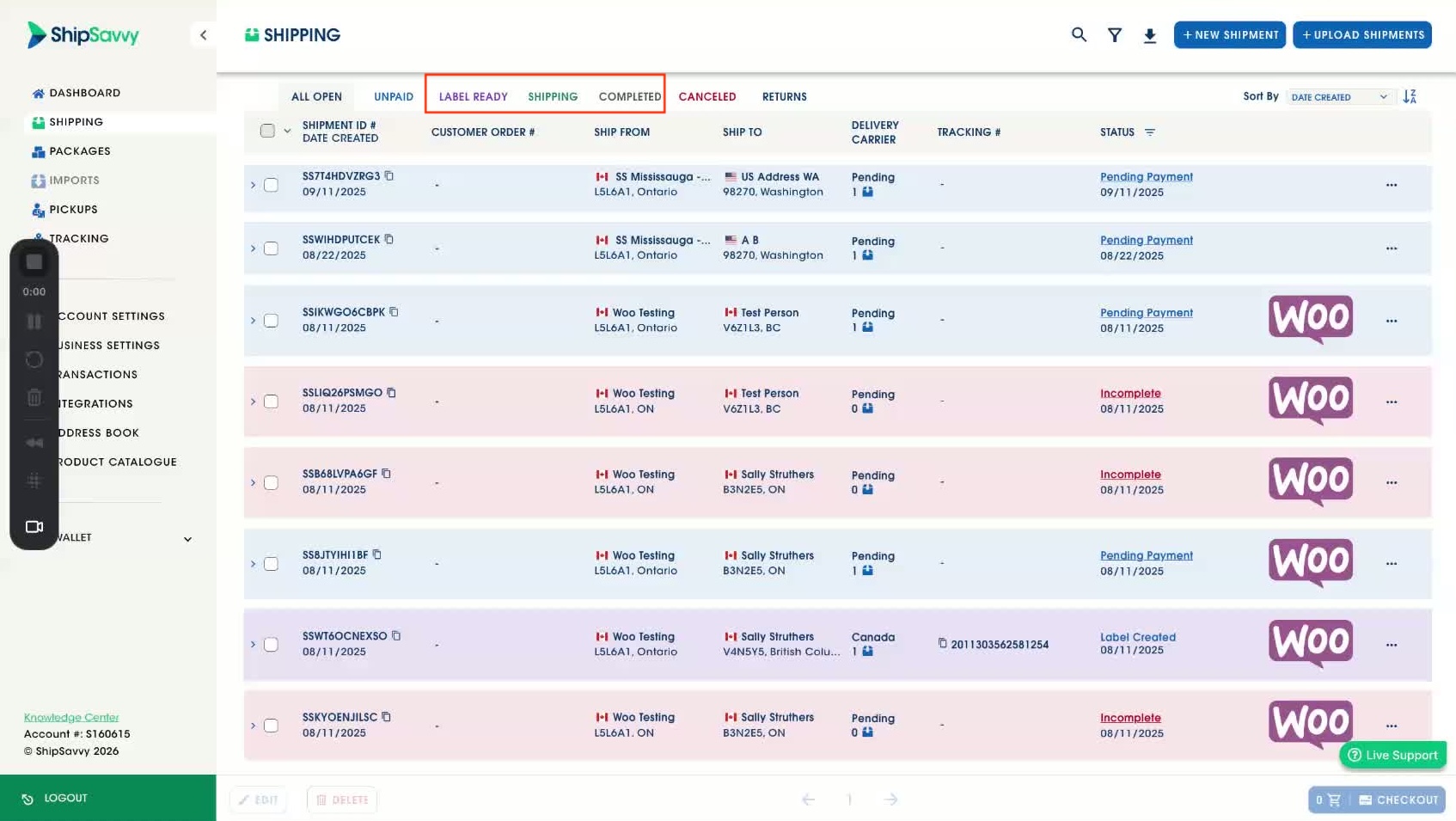
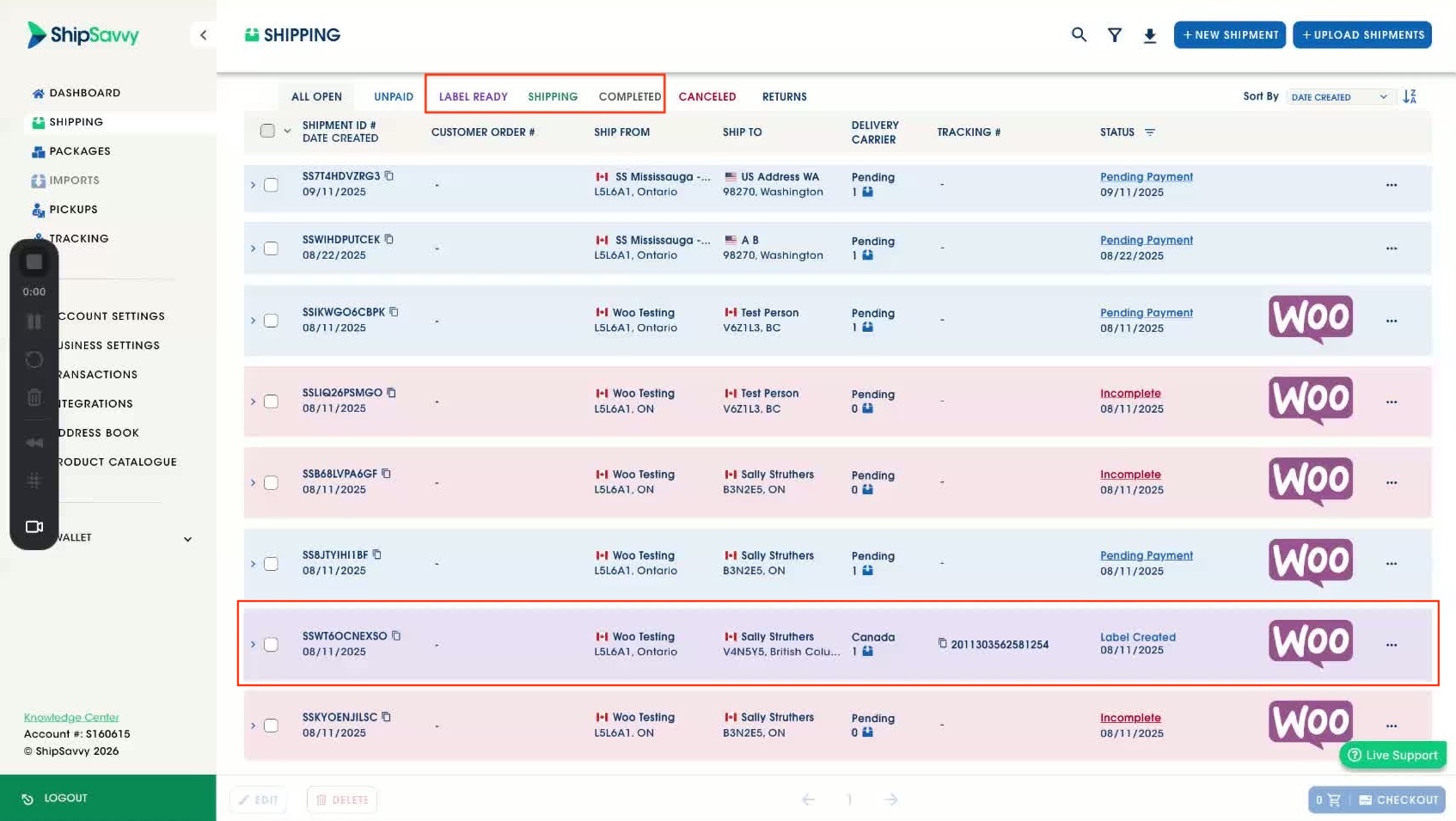
2. Access the Shipment Options - Locate the shipment you wish to cancel. Look for shipments with statuses like " label created " or similar.
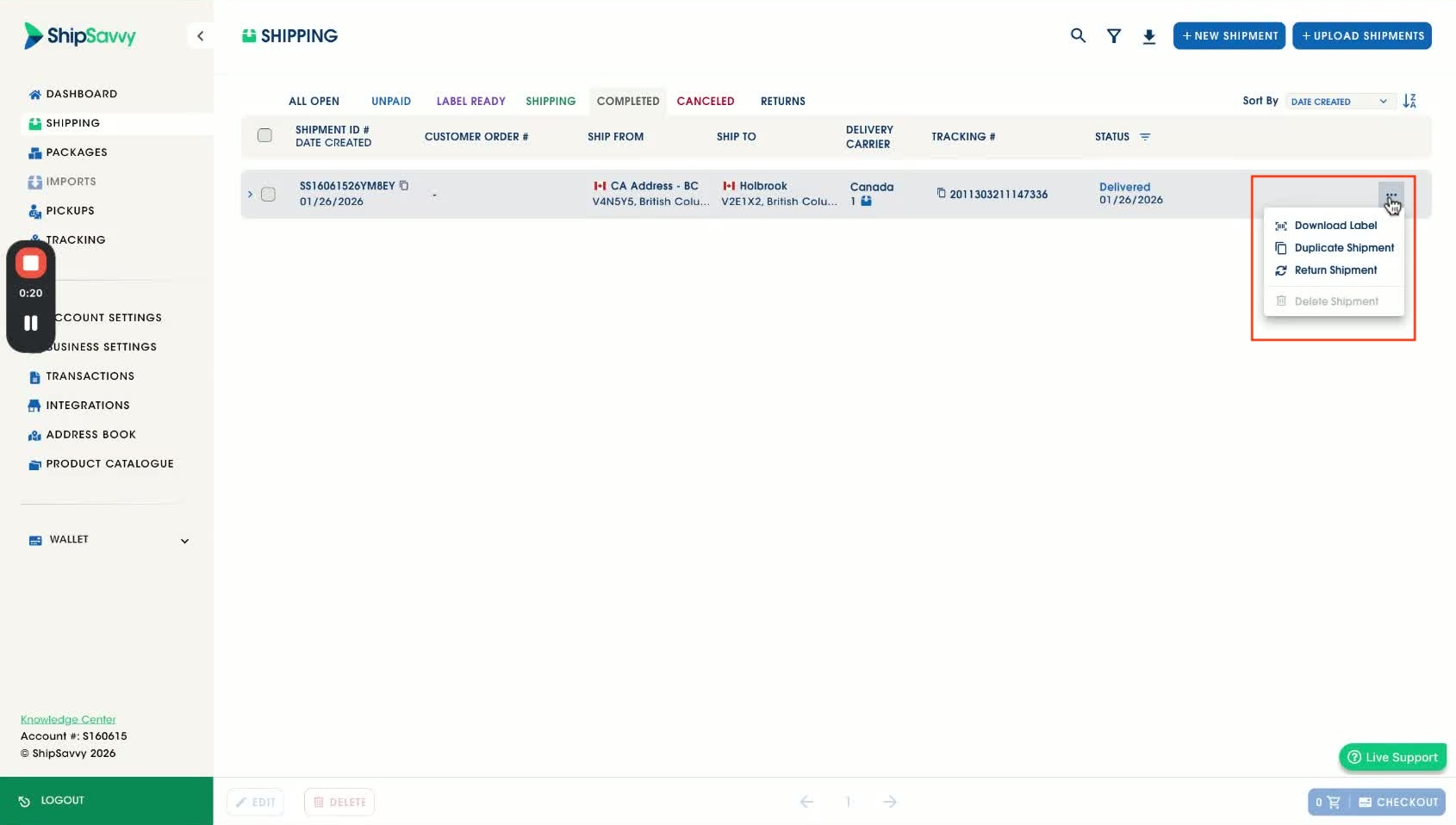
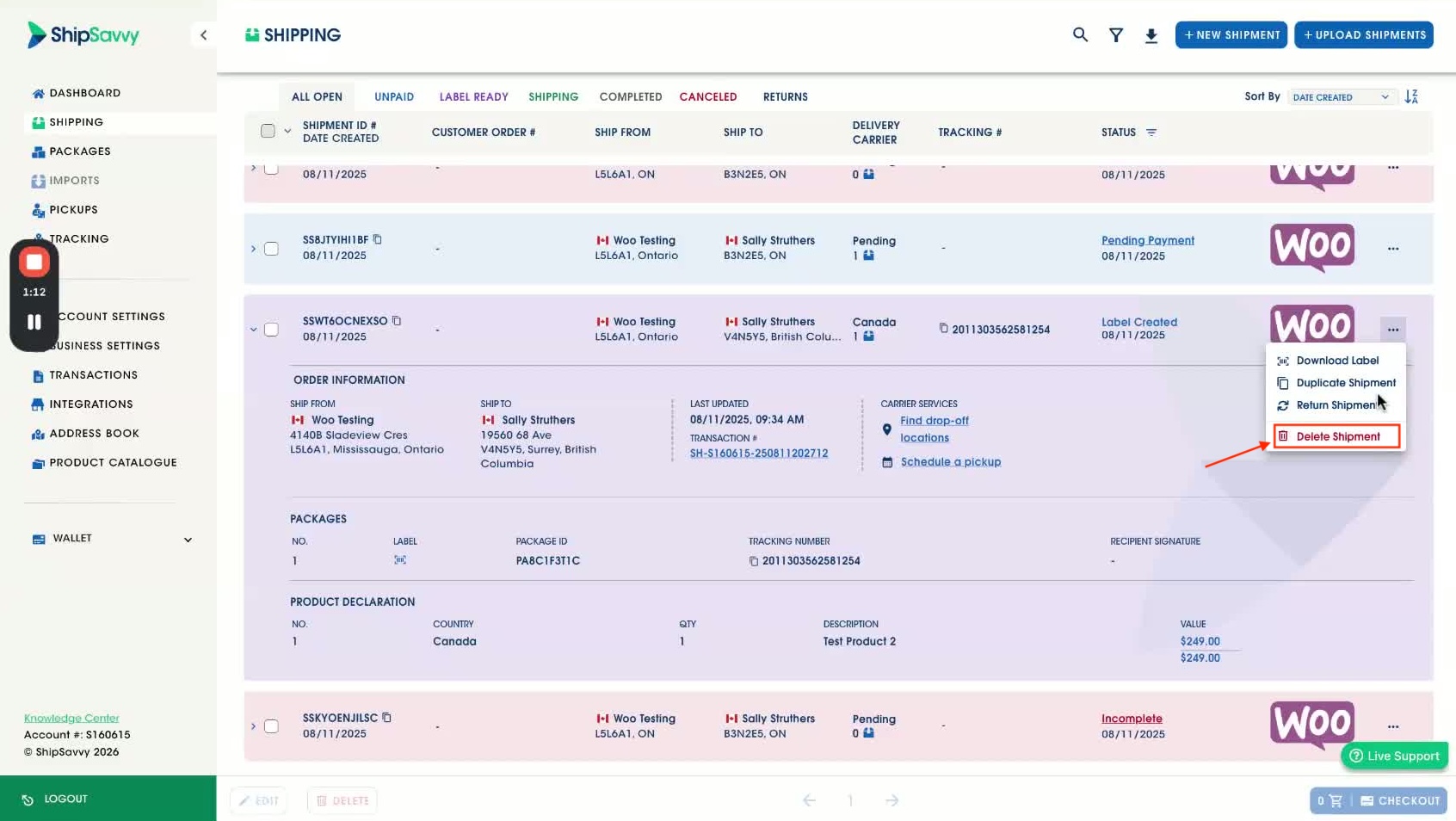
3. Click on the Options Menu - Find the '...' (dot, dot, dot) next to the shipment in the list of orders. Alternatively, expand the order details to find the same options.
4. Choose to Delete the Shipment - From the options menu, select 'Delete Shipment'. Be aware that some shipments may incur cancellation fees.
5. Confirm the Cancellation - Review any warnings regarding cancellation fees. If you are sure, click 'Yes, Cancel' to proceed.
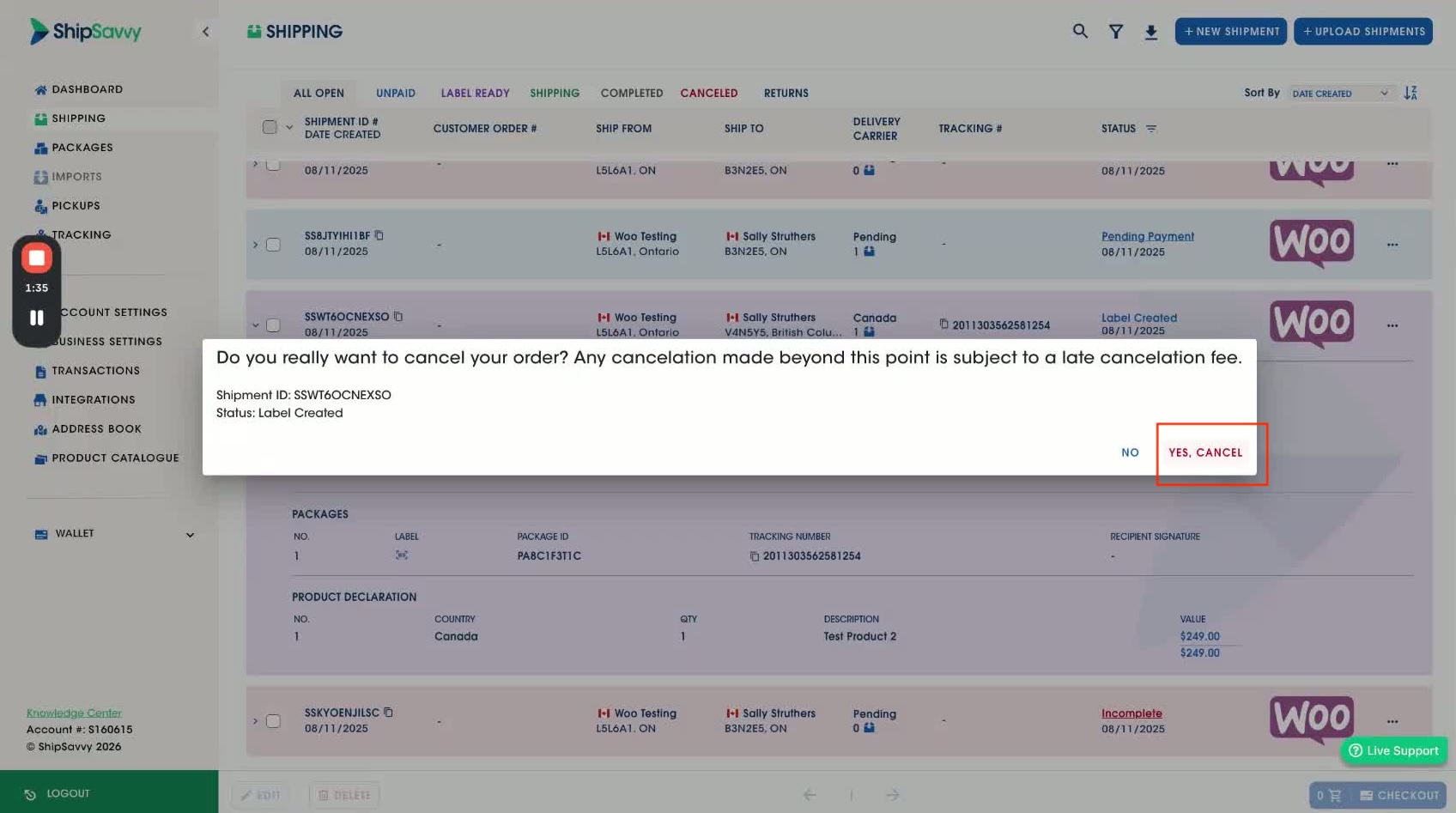
6. Verify the Cancellation - Navigate to the 'Canceled' tab to see all your canceled orders.
Was this article helpful?
That’s Great!
Thank you for your feedback
Sorry! We couldn't be helpful
Thank you for your feedback
Feedback sent
We appreciate your effort and will try to fix the article